Which keywords to track, and how many
A tracker with 500 keywords in it gets ignored by the second month. Pick 20 to 50 from Search Console, tie each one to a page that earns money, and price the list before you add it.
How many keywords should you track?
Fewer than you want to. A rank tracker is a report you have to read every week, and the number of rows you will read is the number you should track. For most sites that is 20 to 50 keywords. An agency running many clients might track a few hundred per site. Nobody reads 500.
The instinct to track everything comes from a reasonable place: if the tool can do it, why not? Two reasons. Tracking costs money on every check, so 500 keywords on a daily schedule is a real line item. And a list that long hides the ten terms that matter inside 490 that do not, which is how a tracker ends up as a dashboard nobody opens.
Charlie Birch, founder of Humanize Collective, makes the underlying point about metrics in general:
you can always find a big number to point at, you know, out of context or in a sliver, and be like, yay, big numbers, but like big numbers of what
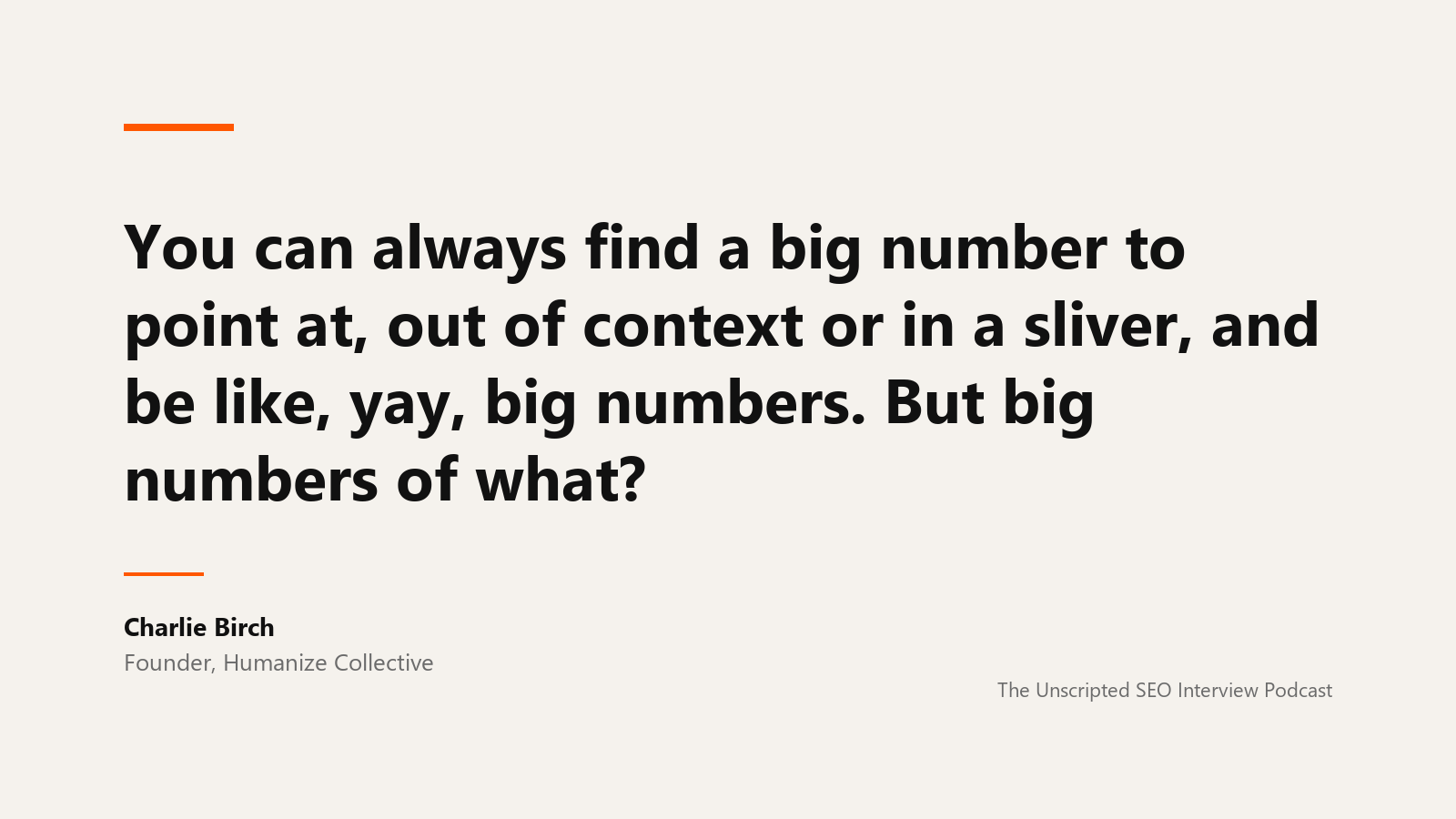
A 500-row tracker is a big number of what. Her conversation on where brand strategy meets SEO is on the Unscripted SEO podcast.
Where the list comes from
Not from a brainstorm, and not from the keyword research tool's volume column. The list comes from Search Console, because Search Console already knows which queries Google shows your site for and how far down. Those are the only terms where a rank change can be read against a click change, which is the point of tracking.
Here is what that looked like on a real site. Three months of Search Console data for seoarcade.com, a small SEO consultancy site, came back with 76 clicks across the top 400 queries, 52 of them on the brand name. That is not much, and the impressions told a different story:
seo for home services: 4,558 impressions, average position 17.3, two clickskeyword forecasting: 3,694 impressions, position 20.3, one clickwhite label keyword research: 3,131 impressions, position 1.8, one clicklocal seo for home services: 2,861 impressions, position 14.3, two clicksseo sops: 2,503 impressions, position 11.9, two clicksauthority link building: 1,984 impressions, position 13.1, no clicksinternational seo keyword research: 1,917 impressions, position 10.1, one click
Those are the terms worth tracking. Each one has demand Google is already willing to show the site for, an average position within reach of page one, and a page that exists. A position change on any of them will show up in clicks within weeks, which makes the tracker readable: this moved, and here is what it did.
One caution before you trust the averages. When these 25 terms went into a tracker and it ran a single mobile check from the US, only three of them came back inside the top 40. The Search Console averages were real, but they were blended across desktop, states, and weeks, and the position a phone in one place sees is a different number. That gap is the subject of Is Search Console a rank tracker?, and it is the reason to track these terms rather than assume them.
The third row is the odd one. Position 1.8 on 3,131 impressions and one click means the page is ranking for a query it does not satisfy, or the SERP has a feature above it that takes the click. Search Console cannot tell you which. A tracker that records SERP features per keyword can, and that is a reason to track a term you already rank for.
The four buckets
Build the list in four groups and cap each one.
Money pages. Five to fifteen terms, one or two per page that produces leads or revenue. These are the rows the business cares about, whether or not they move this month.
Striking distance. Ten to twenty terms from Search Console at positions 4 to 20 with meaningful impressions. This is where movement happens and where the tracker earns its keep. Re-pull this bucket quarterly, because the terms change.
Brand, as a control. One or two brand terms. They should sit at position 1. If they move, something is wrong with the site or the listing, and you want to know before anything else.
A competitor's term. One or two terms you do not rank for yet but a named competitor does. They cost the same to track and they turn the report from "how are we doing" into "how are we doing against them".
That is 20 to 40 rows, and every one of them means something to the person reading the report.
Clean the list before it goes in
Search Console's query list carries junk, and it is worth knowing what it looks like so you do not track it. The same seoarcade.com pull included queries like 12371: multiple keyword serps report and several that were the full text of an AI agent's prompt, complete with markdown headers. Those are tools and agents hitting Google, not people. They will show impressions and never a click. Leave them out.
Also decide, per keyword, whether case matters. OpenSEO and openseo return the same results; Apple and apple may not. OpenSEO lowercases tracked keywords by default and tracks a cased keyword separately if you ask, which is right for brand names and wrong for almost everything else.
Price the list before you add it
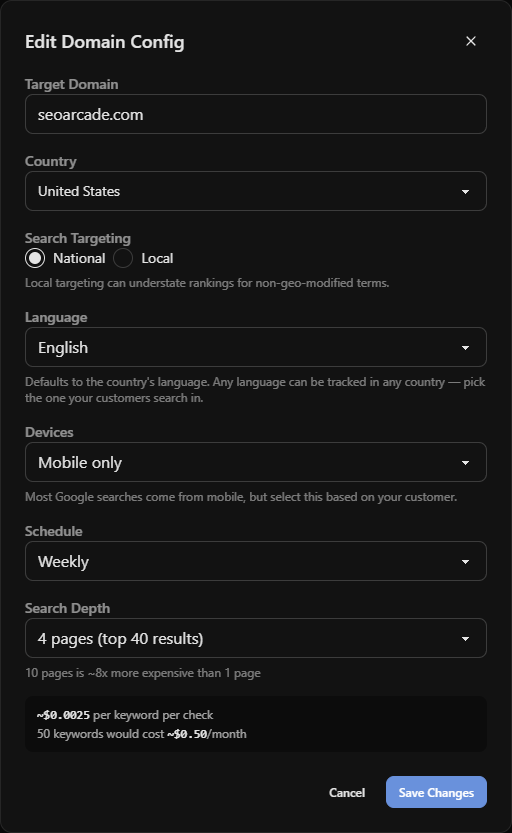
OpenSEO estimates cost before any check runs. On the seoarcade.com tracker, 25 keywords, mobile only, checking the top 40 results, came back as 225 credits for a one-off live check and 63 credits per scheduled weekly check, which is 252 credits or about $0.25 a month. The $10 plan includes $10 of credits, so a list of this size uses under 3% of them. Doubling the depth to 100 results, adding desktop, or moving to daily checks each raise the cost in proportion, and the estimate updates before you commit.
Run this with the OpenSEO MCP
Connect Search Console to the project first, because the whole workflow reads from it, and connect the OpenSEO MCP so an agent can do the pull, the filter, and the add in one pass.
Using the OpenSEO MCP on project [name]:

1. Pull Search Console performance for the last 3 months by query,
   all rows. Exclude queries containing the brand name, queries
   longer than 80 characters, and anything that looks like a tool
   ID or a prompt rather than a search.

2. Keep queries with average position between 4 and 20 and at least
   100 impressions. Sort by impressions. Show me the top 30 with
   position, impressions, and clicks.

3. Pull the same period by query and page, and for each of the 30
   tell me which URL Google is showing. Flag any query where two
   URLs both appear.

4. Call get_rank_tracker for this project. If a tracker exists for
   the site's domain, use it; otherwise create one with schedule
   weekly, devices mobile, depth 40.

5. Call estimate_rank_tracker_cost with additionalKeywordCount set
   to the number of terms I approve, and show me the per-check and
   monthly numbers before adding anything.
Step 3 is the one people skip. If two of your URLs both show for a query, the tracker will report whichever one Google picked that day, and the row will look volatile when the site is competing with itself. Cluster keywords into topical hubs covers fixing that.
The list is a decision, not a setting
Every keyword in the tracker is a claim that someone will act on its movement. If you cannot say what you would do differently when a row goes from 14 to 8, or from 8 to 14, it does not belong in the list. That test cuts most first drafts in half and makes what is left worth reading.
Once the list is in, the next question is what to do with the numbers each week. The keyword ranking report your CEO will read covers that.
Tracking keywords FAQ
How many keywords should I track for SEO?
Twenty to fifty for a typical small or mid-size site: the terms tied to pages that earn money, the striking-distance queries from Search Console, one or two brand terms as a control, and a couple of competitor terms. Track more only if someone will read the extra rows.
Which keywords should I track first?
The ones Search Console already shows your site for at positions 4 to 20 with real impressions. They have demand, they are within reach of page one, and a position change will show up in clicks quickly enough to learn from.
Should I track keywords I already rank number one for?
A few. Brand terms belong in the tracker as an early-warning control, and a term where you rank near the top with a low click-through rate is worth tracking for its SERP features, since a feature above your result explains the missing clicks better than the position does.
Does it cost more to track more keywords?
Yes, in proportion. In OpenSEO the cost of a check is the number of keywords times the number of devices times the depth of results inspected, and scheduled checks run through a cheaper queue than one-off live checks. The app shows an estimate before you add keywords or start a run. On the hosted app, rank checks need the $10/month plan, which includes $10 of credits.
How often should I re-pick the keywords?
Quarterly for the striking-distance bucket, since those queries shift as pages move. The money-page bucket changes only when the business does.
Run this strategy in OpenSEO
Run the MCP prompt in this guide with OpenSEO. OpenSEO is open source, free to try, and does not require a credit card.
