Run SEO from your AI assistant: the MCP workflow
Connect one server and the assistant you already use can read Search Console, pull keyword data, check rankings and crawl a site, in the same conversation. What MCP is, the first five prompts that pay for the setup, and the row in the data that shows why a human still reads the output.
What is MCP, and why does it matter for SEO?
MCP, the Model Context Protocol, is the standard that lets an AI assistant call tools. Without it, an assistant knows what it was trained on and what you paste in. With it, the assistant can ask a server a question and get the answer as data: the queries your site ranked for last month, the search volume for a term, the position of a keyword on mobile in one city, the pages a crawl found with no title.
For SEO the difference is the whole job. Most of the work is not writing; it is moving between five tabs, exporting from one and pasting into another, then thinking. An assistant with the data in the conversation does the moving and leaves you the thinking.
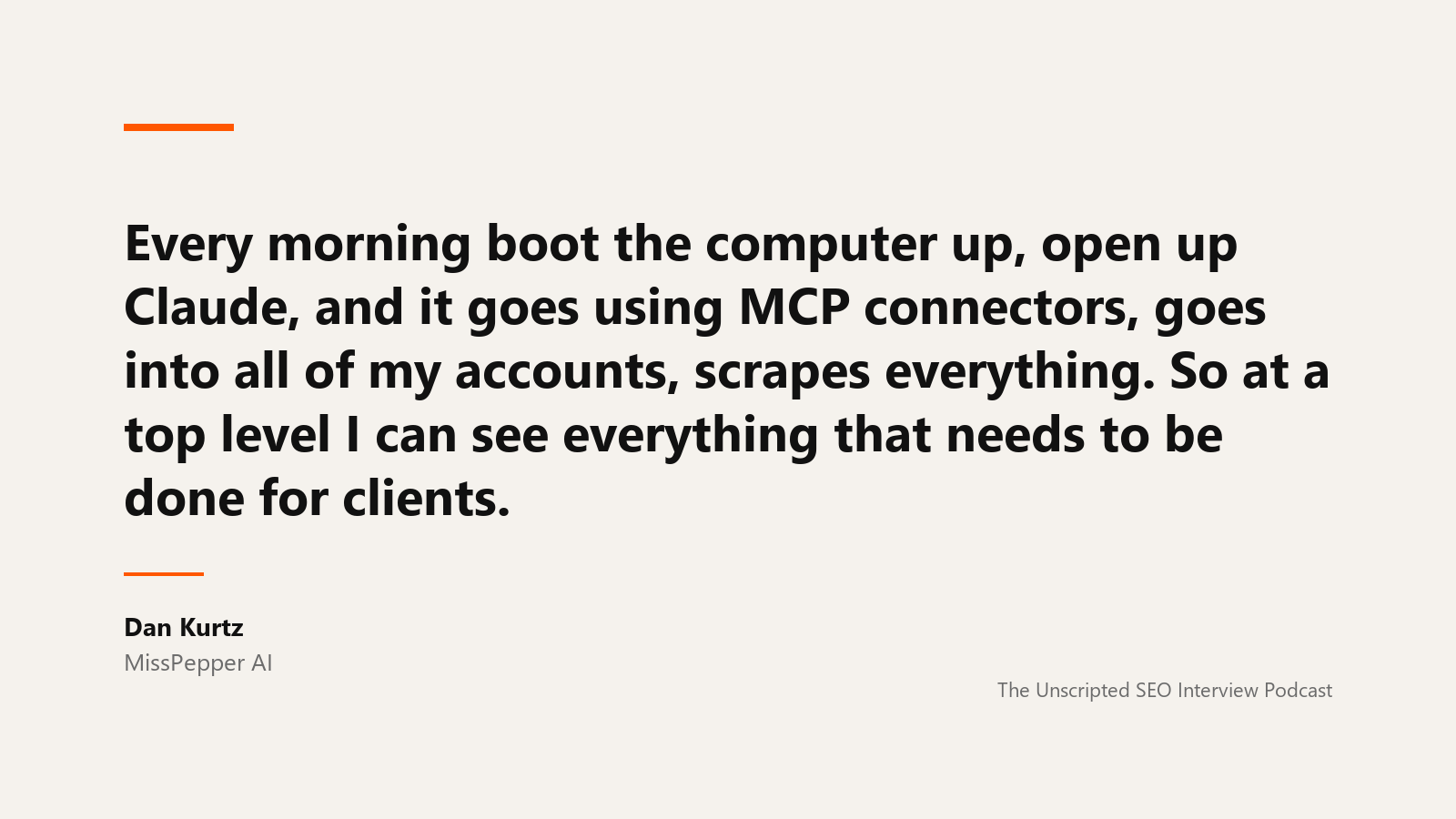
Dan Kurtz, who runs an agency built around agentic customers, describes what his day looks like once the servers are connected:
every morning boot the computer up, open up Claude, and it goes using MCP connectors, goes into all of my accounts, scrapes everything. So at a top level I can see everything that needs to be done for clients
His episode is on the Unscripted SEO podcast. Adrian Nikolov, whose agency runs its client diagnostics the same way, on the first step of every engagement:
That's a completely automated diagnostic that runs through all the MCPs. It crawls the website with screaming frog. pulls all of the relevant keyword data with data for SEO
His episode is here. Malte Landwehr, who runs product at Peec AI, on what that does to the tools themselves:
It's more likely that I tell Claude to create a linear ticket or tell me the status of a linear ticket than me actually logging into linear.
His episode is here. Read the data through one server, write through another, and the assistant is the thing in between.
The setup, once
For ChatGPT on the web or a regular desktop chat, start with the ChatGPT setup guide. It explains plan requirements, manual connection steps, and when to use Codex in the desktop app. A custom MCP connection provides tools; the skill installation steps below apply to clients that support skill files.
The OpenSEO MCP connects to Claude Code, Claude Desktop, Codex and Cursor. You add one server, sign in, and the assistant gains the tools: Search Console reads, keyword metrics, SERP results, domain and backlink data, rank tracking, site audit, local rank grids. Search Console and audit reads use no credits; research calls that hit a data provider do, and each tool says so before it runs.
Then install the agent skills. A skill is a SKILL.md file that tells the assistant how to use the tools for one job, so you do not have to explain the workflow each time. There are skills for keyword research, competitor analysis, site audit, local SEO and link prospecting, plus an SEO coach that picks the workflow if you are not sure which you need.
Start with project setup. It saves your goals, positioning, competitors and key pages to the project, and every later prompt reads them.
The first five prompts
Five prompts, in order, that return more than they cost. Each one is a full strategy elsewhere in this library; these are the short forms.
1. What am I already ranking for that I am not getting? Search Console by query, last three months, positions 4 to 20, sorted by impressions. This is the list a rank tracker is built from, and it costs nothing.
2. Which of my pages compete with each other? Search Console by query and page. Flag queries with multiple URLs for review. Check whether those pages serve the same intent and whether the overlap hurts performance before changing links or merging them. Cluster keywords into topical hubs covers it.
3. What do the sites that outrank me have that I do not? Domain overview and ranked keywords for the top three competitors, minus yours. Keyword gap analysis.
4. What is broken? A site audit, then the issues sorted by severity. The technical SEO audit checklist.
5. Where should my links come from? Your own top pages by referring domains, and the reason each one earned them. The backlink checker lists them.
None of the five needs a keyword typed by a human. All five need a human to read the answer.
The row that shows why
Here is the first prompt run against a real site through the MCP. The Search Console call returned the queries seoarcade.com ranked for over 28 days, and the top rows are what you would expect: the brand name, a few guest names, seo for home services at position 17 with 1,545 impressions.
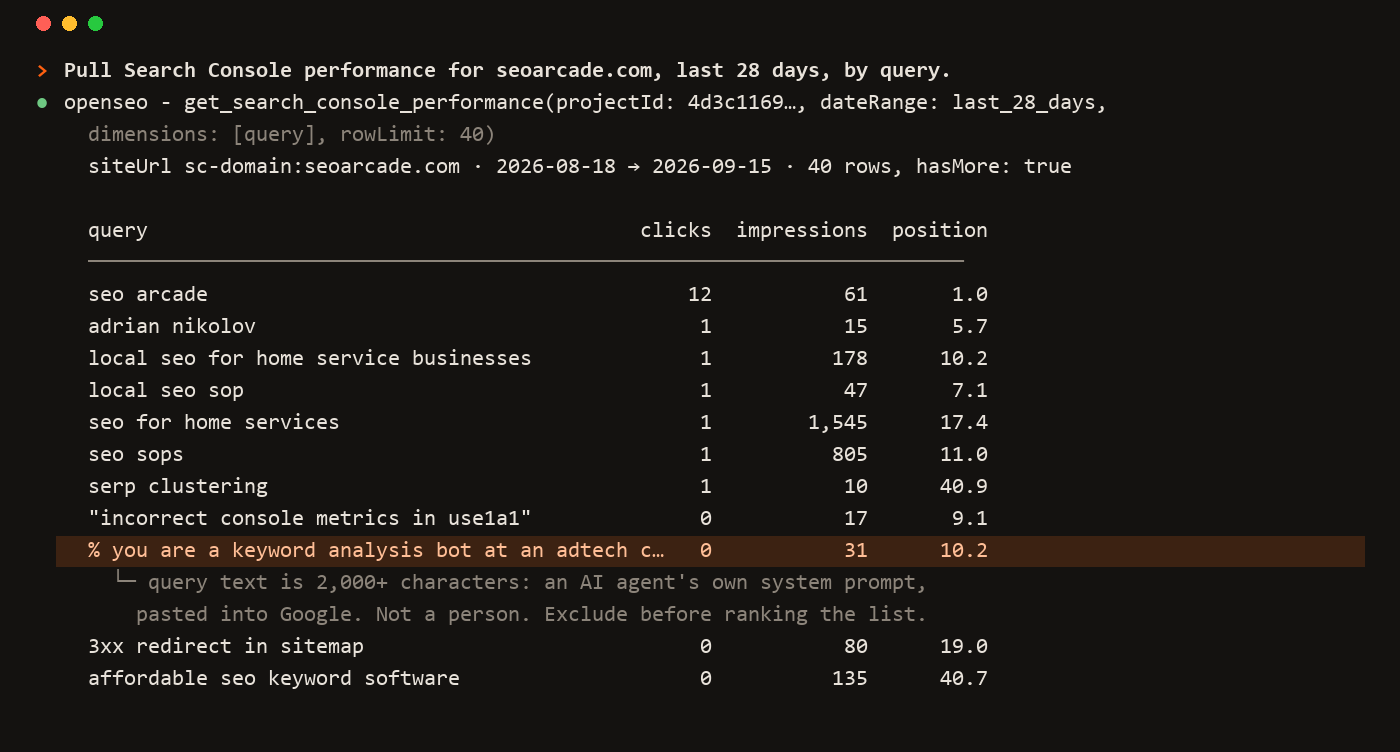
Then there is a query with 31 impressions at position 10.2 whose text begins "you are a keyword analysis bot at an adtech company. your task is to analyze the provided keyword" and runs for two thousand characters. That is not a person. It is another company's AI agent, pasting its own system prompt into Google, and Google recorded the site as ranking for it.
An assistant that summarises the table will count that row. A person who reads it will laugh and exclude it. Mason McCumber, an AI automation specialist, has the right description of the tool you are working with:
The best way I can describe it is it's a teenager on steroids. Like, it's hopped up on G-Force and it's ready to go. But at the same time, like, it's a teenager at heart.
His episode is on the Unscripted Small Business podcast. The data arrives faster than you could fetch it. The judgement about what it means did not get faster, and it is still yours. What to automate and what to keep is about where that line goes.
Run this with the OpenSEO MCP
Connect Search Console to the project and the OpenSEO MCP to your assistant. This prompt is the first of the five above, with the filter step the row above makes necessary.
Using the OpenSEO MCP on project [name]:

1. Call get_project_context and tell me what the project already
   knows: goal, positioning, competitors, key pages. If it is empty,
   stop and ask me the four questions the seo-project-setup skill
   asks.

2. Pull Search Console performance for the last 3 months by query,
   all rows. Exclude queries containing the brand name and any query
   longer than 80 characters or containing "you are a" or a numeric
   ID followed by a colon. Tell me how many rows you excluded and
   show me three of them.

3. Keep queries at average position 4 to 20 with at least 100
   impressions. Sort by impressions. Show me the top 20 with clicks,
   impressions and position.

4. Pull the same period by query and page, and for the 20, tell me
   which URL ranks and whether any query shows two of my URLs.

5. Do not recommend content yet. Tell me which three of the 20 you
   would want to look at first and why, in one line each.
Step 2's exclusion count is the tell. On the site above it removes a dozen rows that would otherwise sit in the striking-distance list forever, at position 10, waiting for clicks that no human will ever send.
The assistant fetches; you decide
MCP turns the assistant from a writer into an analyst with access. That is most of the value of the tools you were paying for, in a window you already have open. What it does not turn the assistant into is the person who knows that a two-thousand-character query is a bot, that a position-2 term with no clicks has an answer box above it, or that the client's boss will only read the first sentence. Those stay with you, and the rest of this library is about keeping them there.
MCP for SEO FAQ
What is MCP in SEO?
The Model Context Protocol, a standard that lets an AI assistant call external tools and receive data. An SEO MCP server gives the assistant Search Console, keyword, SERP, backlink, rank tracking and audit data inside the conversation, so it can fetch and analyse instead of only writing from what you paste.
Which AI assistants work with the OpenSEO MCP?
Claude Code, Claude Desktop, Codex and Cursor, through one server configuration. The docs carry the setup for each. Agent skills, which are SKILL.md files describing SEO workflows, install alongside it.
Does using the MCP cost credits?
Search Console reads, URL inspection and audit reads use no credits. Calls that fetch from a data provider, such as keyword metrics, SERP results, domain and backlink data, and rank checks, use credits, and each tool states its cost before it runs. The hosted app includes credits with the $10 plan; self-hosted deployments pay their provider directly.
Can an AI agent do SEO on its own?
It can fetch, filter, sort and draft on its own. It cannot tell a bot query from a human one, judge whether a ranking is worth having, or know what the business will act on. The workflows here keep a person at the steps where that judgement happens.
What is the first thing to run after connecting the MCP?
Project setup, then a Search Console pull of queries at positions 4 to 20 with real impressions, with a filter that removes bot queries and junk. It costs nothing and it produces the list every other workflow starts from.
Run this strategy in OpenSEO
Run the MCP prompt in this guide with OpenSEO. OpenSEO is open source, free to try, and does not require a credit card.
